
Every move you make online is tracked. Companies collect data like your browser details, device settings, and online habits to build a detailed profile of you. This process, known as behavioral profiling, goes beyond cookies and now includes advanced methods like fingerprinting and AI predictions. Even incognito mode won’t fully protect you. Here’s how you can reduce your exposure:
Use privacy-focused browsers like MASQ, Brave, or Tor to block tracking scripts.
Switch to decentralized VPNs (e.g., MASQ VPN) to hide your IP without relying on centralized servers.
Choose independent search engines like Timpi to avoid feeding data into major platforms.
Block trackers and clear your data regularly to minimize persistent identifiers.
Avoid profiling triggers such as using single sign-ons, apps over browsers, or public Wi-Fi without protection.
These steps, combined with tools like MASQ Premium, can help you reclaim control over your digital footprint. Protecting your privacy requires layered defenses, but it’s worth the effort in a world where online tracking is nearly unavoidable.
The Invisible Way You're Being Tracked Online
How Behavioral Profiling Works
Behavioral profiling takes your everyday digital actions and turns them into a lasting "fingerprint" of who you are online. It gathers data from your browsing history, search habits, and even device settings to create a detailed profile. This profile can reveal things like your political leanings, education level, or income bracket - all without you even realizing it. Behind the scenes, hidden scripts and trackers work tirelessly, sending hundreds of requests to third-party ad networks to compile this information.
The methods used to track you generally fall into two categories: "attached" identifiers like cookies, which are easy to delete, and "permanent" identifiers like fingerprinting, which are much harder to alter. Think of cookies as disposable, like a sticky note you can toss away. Fingerprinting, on the other hand, is more like a car's license plate - it's tied to specific hardware and software settings, making it much harder to change. While clearing cookies is as simple as a click, altering settings like your screen resolution or GPU model can be tricky and might even disrupt your browsing experience.
Common Tracking Methods
The tools behind behavioral profiling are varied but highly effective. Here’s a closer look at some of the most common techniques used to build your digital fingerprint.
HTTP cookies: These small files stored in your browser are often used to remember things like login credentials or shopping cart items. But they can also be misused to track your visits, searches, and activities across websites.
Browser fingerprinting: By analyzing data points such as your screen resolution, installed fonts, and hardware specs, this method creates a unique digital ID that’s nearly impossible to erase.
Canvas fingerprinting: This technique uses HTML5 canvas elements to draw invisible images. The way your device renders these images generates a unique hash based on your GPU and drivers.
WebGL fingerprinting: Similar to canvas fingerprinting, this method examines how your device handles 3D graphics, capturing details like GPU model, driver versions, and memory size.
Pixel tracking: Tiny 1x1 images embedded in web pages or emails track information like your IP address, browser details, and the exact time you access a page or email.
More advanced techniques include cross-site tracking scripts, which are third-party codes embedded in websites. These scripts send data to hidden servers, collecting HTTP headers and device settings along the way. Other methods, such as zombie cookies (which regenerate after deletion), super cookies (used at the ISP level), and CNAME cloaking (disguising third-party trackers as first-party), make tracking even harder to avoid. Additionally, AudioContext fingerprinting gathers data on how your device processes audio, adding yet another layer to your profile.
Method | Persistence | Ease of Deletion | Primary Data Collected |
|---|---|---|---|
Cookies | Temporary (until cleared) | Easy | Login info, site preferences, session IDs |
Fingerprinting | Permanent (hardware-based) | Extremely Difficult | Fonts, GPU, screen resolution, time zone |
Tracking Pixels | Instantaneous | N/A (Server-side log) | IP address, open rates, visit time |
Why Behavioral Profiling Matters
Behavioral profiling isn’t just about showing you ads - it has far-reaching implications for your online privacy and security. These tracking techniques can expose sensitive details about you, making you a target for fraud or identity theft. And don’t be fooled by incognito modes - they only stop local data storage. Your digital fingerprint remains fully visible to remote trackers and servers.
Another troubling aspect is behavioral manipulation. Companies can use your profile to predict your actions and exploit your weaknesses, often without you even noticing. This could influence everything from the prices you’re shown online to the articles that appear in your news feed. Worse yet, if a company storing your data experiences a breach, your entire digital identity could be at risk. This could lead to discrimination based on assumptions about your personal characteristics.
Understanding these tracking methods is the first step in taking back control of your online privacy. By recognizing how behavioral profiling works, you can make more informed decisions about protecting your digital footprint.
How to Reduce Behavioral Profiling
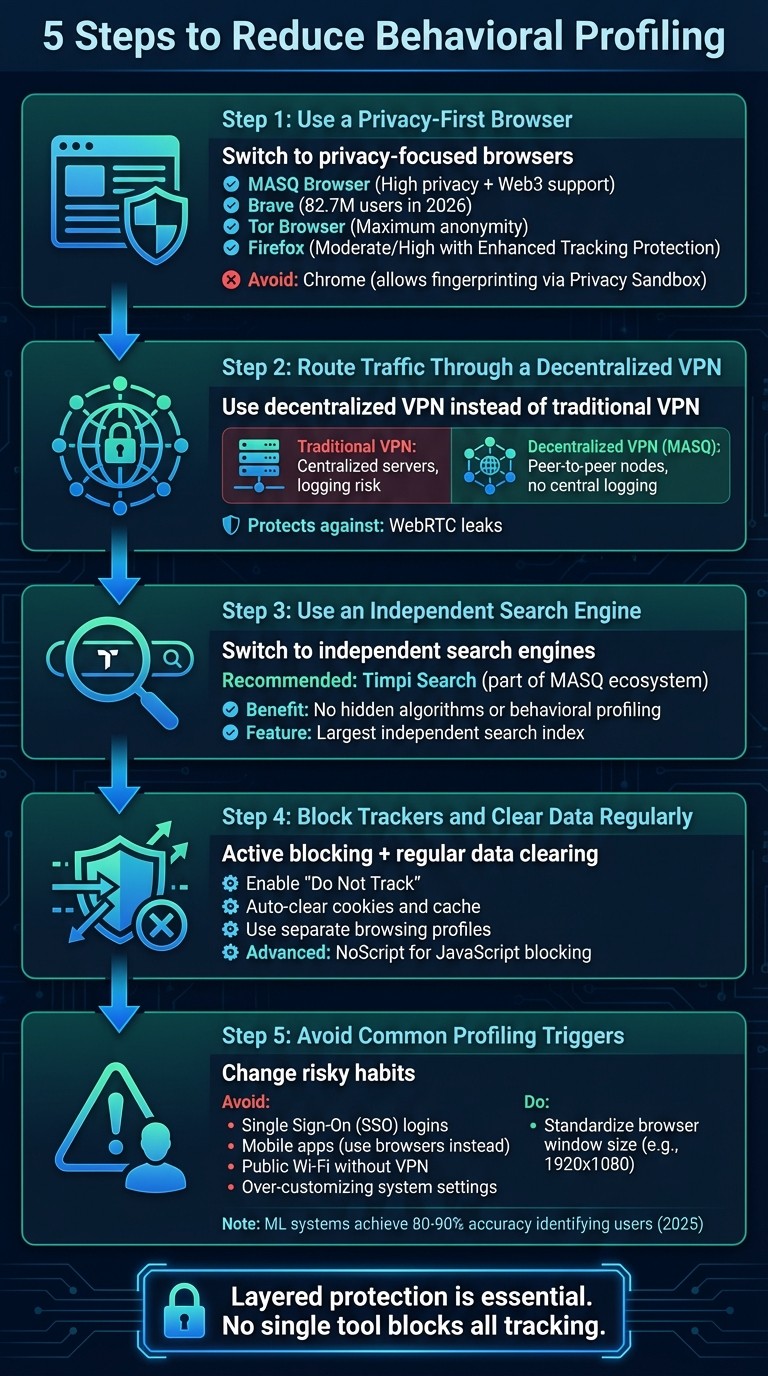
5 Steps to Reduce Behavioral Profiling Online
Understanding how behavioral profiling works is just the beginning. The next step is to take action. You don’t need to be a tech wizard to protect yourself online. By making a few smart changes in how you browse, search, and connect, you can significantly reduce your digital footprint. The trick? Layering your defenses. No single tool can block all tracking, but combining the right privacy tools creates a strong barrier.
Here are five practical steps you can take today. Each one targets a specific vulnerability in your online activity, from the browser you use to the way you manage everyday tasks like logging in or searching.
Step 1: Use a Privacy-First Browser
Your browser is the main tool you use to interact with the internet, making it a key player in protecting your privacy. Popular browsers like Google Chrome and Microsoft Edge offer limited protection against tracking techniques like fingerprinting. In fact, in 2025, Google officially allowed fingerprinting-based tracking within Chrome’s Privacy Sandbox, essentially normalizing corporate surveillance.
For better protection, consider using MASQ Browser, which is designed to block tracking by default. It also supports Handshake decentralized domains, granting access to Web3 content that mainstream browsers often overlook. Other good options include Brave, which reached 82.7 million active users by 2026, and Tor Browser, which anonymizes users by making their devices appear identical.
Here’s a quick comparison of browsers in 2026:
Browser (v. 2026) | Privacy Level | Feature |
|---|---|---|
MASQ Browser | High | Decentralized routing & Handshake domain support |
Maximum | Standardizes user profiles; routes through 3 layers | |
Brave | High | Randomizes fingerprints per session and site |
Moderate/High | Enhanced Tracking Protection & Containers | |
High | Tor-like privacy without the slowdown | |
Chrome | Basic | Allows fingerprinting via Privacy Sandbox |
For added privacy, tweak advanced settings like Firefox’s resistFingerprinting feature.
Step 2: Route Traffic Through a Decentralized VPN
While traditional VPNs mask your IP address, they rely on centralized servers, which introduces a major risk: you have to trust the company not to log or misuse your data. Even if they promise no logging, the centralized setup remains a vulnerability.
Enter MASQ VPN Network, which uses a peer-to-peer system of independent nodes instead of corporate servers. This decentralized architecture eliminates central points of failure and logging risks. It also defends against issues like WebRTC leaks, which can expose your real IP address. To stay even safer, disable WebRTC in your browser settings or enable the “Hide my local IP address” option.
Here’s how decentralized VPNs compare to traditional ones:
Feature | Traditional VPN | Decentralized VPN (MASQ) |
|---|---|---|
IP Masking | Yes | Yes |
Architecture | Centralized Servers | Peer-to-Peer Nodes |
Logging Risk | Centralized logs possible | No central logging |
Fingerprinting Defense | Limited | Strong multi-layer protection |
Web3 Support | Limited | Fully integrated |
Step 3: Use an Independent Search Engine
Every search you make on platforms like Google or Bing feeds data into your behavioral profile. Even some “privacy-focused” engines may pass along metadata. To break free from this cycle, switch to an independent search engine.
Timpi Search, part of the MASQ ecosystem, offers an alternative. Unlike Google or Bing, it doesn’t rely on hidden algorithms or create profiles based on your search history. Built on one of the largest independent search indexes, it delivers unbiased results. Plus, MASQ Browser allows you to compare Timpi results side-by-side with those from Google or Bing, so you can see how mainstream engines might manipulate what you see.
Step 4: Block Trackers and Clear Data Regularly
Even with a privacy-first browser and a decentralized VPN, some trackers can still slip through. That’s why actively blocking tracking scripts and clearing your data regularly is essential.
Enable "Do Not Track" in your browser settings. While not all websites honor this request, it adds an extra layer of protection.
Set your browser to automatically clear cookies and cache when you close it.
Use separate browsing profiles for different activities, like banking, social media, or anonymous research. This prevents cross-site tracking.
"Modern browser privacy isn't about turning everything off - it's about intentional delegation. Every extension you install is a privileged agent with access to your entire browsing context."
– Dr. Lena Park, Senior Researcher, Mozilla Observatory
For advanced users, tools like NoScript can block JavaScript on untrusted sites, which is often used for fingerprinting. Just note that disabling JavaScript may affect how some websites function.
Step 5: Avoid Common Profiling Triggers
Even with strong privacy tools, certain habits can make you a target for behavioral profiling. Avoid these common mistakes:
Skip Single Sign-On (SSO) logins.
Logging in with Google or Facebook links your activity directly to your profile. Instead, use unique passwords managed by a password manager.
Use browsers instead of mobile apps.
Apps often access permanent device identifiers like your IMEI or Android ID, making them harder to anonymize. Stick to browser versions of services when possible.
Steer clear of public Wi-Fi without protection.
Public networks are risky. If you must use one, always connect through a VPN first.
Don’t over-customize your system.
Unique fonts, plugins, or screen resolutions can make your device stand out. In 2025, machine learning systems achieved 80–90% accuracy in identifying users even with randomized attributes.
Standardize your browser window size.
Instead of maximizing your browser, resize it to a common resolution like 1920x1080. This helps you blend in with millions of other users.
Enhanced Privacy with MASQ Premium
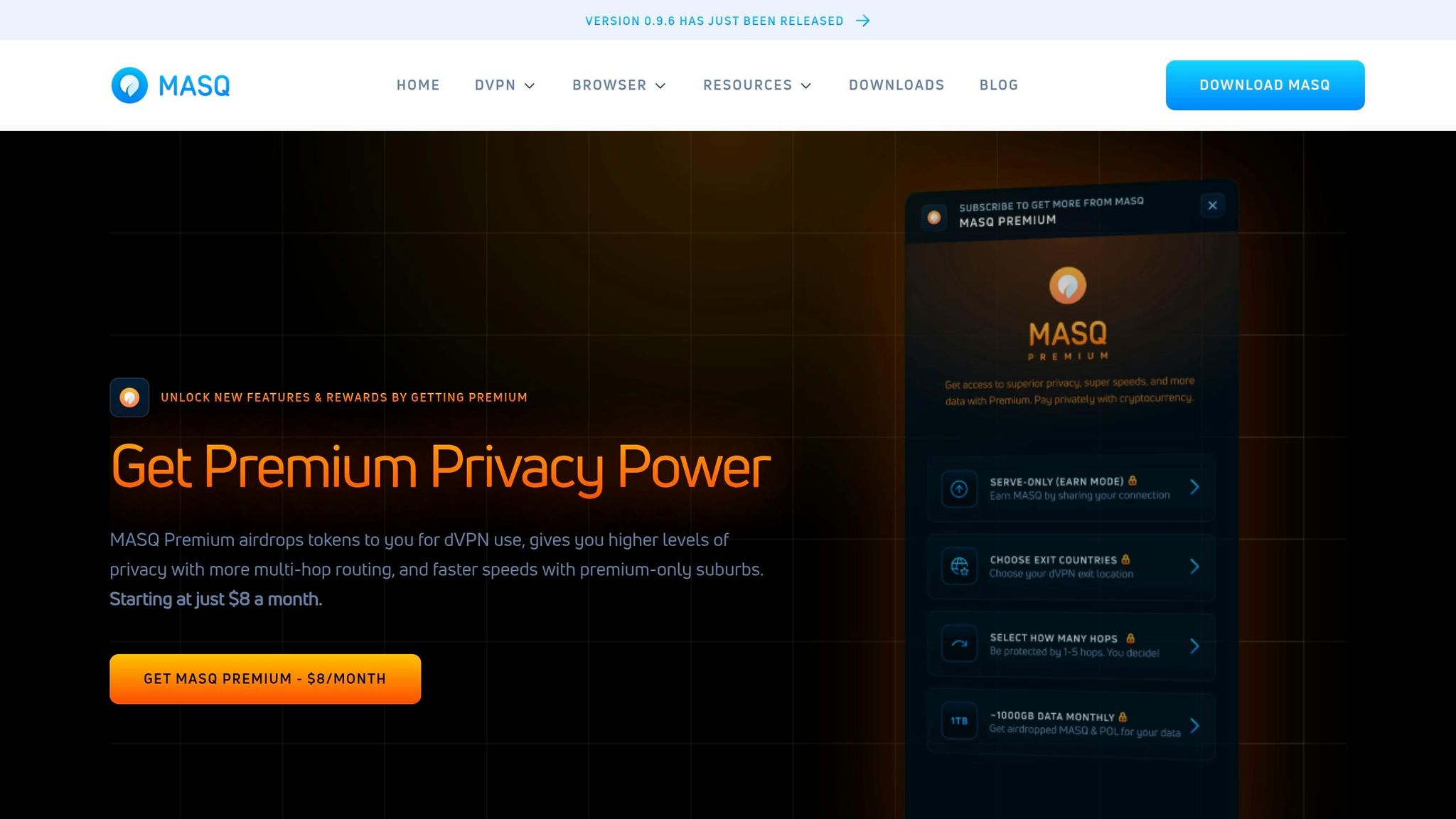
MASQ Premium takes your digital privacy to the next level by building on the foundational protections of MASQ while introducing advanced controls. It's designed for users who value strong privacy measures but don't want to compromise on speed.
Premium subscribers enjoy 1-5 hop dVPN routing, where your internet traffic is routed through up to five encrypted nodes before reaching its final destination. This multi-hop system makes it incredibly difficult for trackers to trace your activity back to a single IP address or location. You can opt for fewer hops if speed is your priority or increase the number of hops for more sensitive activities.
Another standout feature is network-level ad and tracker blocking, which prevents fingerprinting scripts from even reaching your device. Unlike browser-based extensions that might miss certain scripts, MASQ Premium blocks these at the network level, making it far harder for advertisers to track and profile you. This capability is backed by extensive research into tracking methods.
MASQ Premium also includes a built-in Web3 wallet, a decentralized dApp store, and an Earn Mode that lets you share unused bandwidth in exchange for cryptocurrency. This feature not only helps offset subscription costs but also supports the decentralized network infrastructure. By integrating these tools, MASQ Premium ensures you have full control over your digital presence while contributing to a community-driven ecosystem.
MASQ Premium Pricing & Features
MASQ Premium is offered at $8/month when billed annually or $14/month on a month-to-month basis. Payments are made in cryptocurrency, maintaining your anonymity throughout the process.
Here’s a breakdown of the features included:
Feature | Description |
|---|---|
1-5 Hop dVPN | Choose between 1 to 5 encrypted nodes for customizable levels of anonymity and speed. |
Network-Level Blocking | Blocks ads and trackers at the network level, stopping fingerprinting scripts before they execute. |
Earn Mode | Share unused bandwidth and earn cryptocurrency as rewards. |
MASQ Chrome Extension | Extend privacy features to your browser for seamless protection. |
Monthly Data Airdrops | Receive free token airdrops directly into your MASQ Web3 wallet. |
Advanced Customization | Options like content filtering and family-safe DNS (e.g., Cloudflare Family). |
Enhanced Speeds | Faster browsing by reducing data load through ad and tracker blocking. |
Premium members also benefit from monthly token airdrops, rewarding their contribution to the MASQ network. Future updates, such as Country Selection, will allow users to pick specific node locations, further tailoring their browsing experience.
These features work together to provide a comprehensive privacy solution, empowering you to protect your online identity with ease.
Conclusion
Behavioral profiling thrives on data collection and centralized tracking, turning your online activities into a revenue stream. The strategies shared in this guide - opting for a privacy-focused browser, using a decentralized VPN, switching to independent search engines, blocking trackers, and steering clear of profiling triggers - work together to break down the systems that enable profiling.
By combining these measures, you create layered protection that’s much stronger than relying on any single solution. With fingerprinting capable of identifying users with up to 99% accuracy, and the web surveillance economy valued at over $227 billion annually, the stakes are high. Trackers evolve constantly, which is why a single privacy tool simply won’t cut it.
To tackle these challenges effectively, a unified approach is key. MASQ's integrated ecosystem offers privacy by default, combining browser, VPN, and search tools into one seamless solution. The MASQ Browser blocks fingerprinting scripts, its decentralized VPN routes traffic through multiple independent nodes to shield your IP, and Timpi Search ensures your queries remain private and free from monetization.
For those seeking even greater protection, MASQ Premium delivers advanced features like multi-hop routing (up to five encrypted nodes), network-level blocking, and Earn Mode - all for just $8/month annually - without sacrificing speed.
Taking back your digital privacy means reclaiming control over your personal data in a world where nearly every online move is tracked and sold. By implementing the tools and strategies outlined here, you make it significantly harder for advertisers, data brokers, and trackers to build a profile of you. Start using these integrated solutions today and take charge of your digital footprint.
FAQs
What is browser fingerprinting?
Browser fingerprinting is a method used to track users by collecting specific details about their devices and browsers. This includes information like screen resolution, installed fonts, browser extensions, time zone, and even hardware specifications. These details are combined to create a unique digital profile, allowing websites to track your activity across the web - without relying on cookies. Unlike cookies, browser fingerprints operate quietly in the background, are hard to block, and nearly impossible to alter, making them a persistent issue for online privacy.
Why doesn’t incognito mode stop profiling?
Incognito mode offers limited privacy by preventing your browsing history and cookies from being stored locally. However, it doesn’t go beyond that. Your IP address, browser fingerprint, and online activity remain visible to ISPs, websites, and network administrators. In other words, incognito mode doesn’t shield you from tracking by these entities or offer full privacy protection.
What’s the best “layered” setup to reduce tracking?
To cut down on tracking, it's smart to layer several privacy tools and techniques:
Opt for privacy-focused browsers like MASQ Browser that block trackers and protect against fingerprinting.
Add anti-tracking extensions such as uBlock Origin to your browser.
Consider limiting or disabling JavaScript execution, which can reduce the ways websites track you.
Use a decentralized VPN like MASQ VPN to encrypt your internet traffic and hide your IP address.
Switch to private search engines like Timpi Search to keep your search queries from being used to create a profile about you.
By combining these measures, you can significantly improve your online privacy.